
Instagram today has become an integral part of people’s lives, transforming from a mere platform to share stories, photos, or videos. All these are very interesting, and people want to watch them repeatedly at leisure.
But one problem is that the story is visible only for 24 hours. Many times, you may want to be able to see a story later, but the 24-hour limit is its biggest problem. In such a situation, the question arises – can you Download Instagram Stories and save them?
Well, in this Step By Step Guide To Download Instagram Stories, you will learn the entire process and the easy ways.
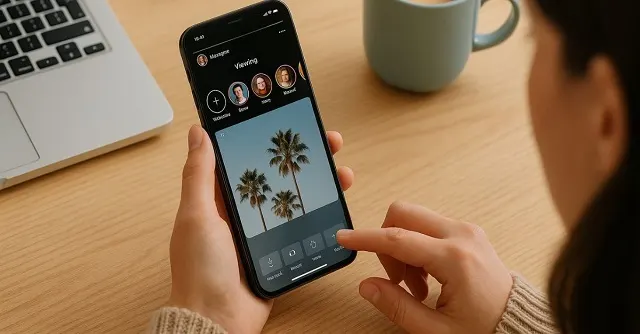
Use The Archive Feature Instagram Story Download
If you want to see your own story later, then Instagram has given an Easy Way to Instagram Story Download. The Archive feature will automatically save your stories. The simple steps include:
- Opening the Instagram app
- Selecting Settings.
- Going to “Story Settings” and
- Turning on the “Save story to archive” option.
Now, every story of yours will be automatically saved in the Archive, and this story will be visible only to you, not to the public. In this way, you can see your created story again anytime.
Long-term Saving with Highlights
Highlights are not only a way to save stories, but they also make your profile more attractive. Whenever you post a story, add it to “Highlight”. You can group stories by creating different categories like “Travel”, “Food”, or “Work”. These Highlights will remain until you delete them yourself. With the help of this feature, your stories remain visible to your followers for a long time.

Downloading Instagram Stories Directly from Mobile
Many times, you have to save a story immediately. For this, Instagram’s Direct Save option comes in handy. The Step By Step Guide To Save IG Stories this way is:
- Open your story
- Click on the three dots (…) at the bottom right
- Select “Save Photo/Video”
You will find the chosen file in the gallery. This method is often preferred by users looking for a simple and quick option to save Instagram stories.
Screenshot and Screen Recording
If you want to save stories without hassle, then Screenshot and Screen Recording is the simplest solution. Take a screenshot of the photo story and turn on the screen recorder for the video story. Nowadays, most smartphones already have screen recording. This method is completely free and works without any additional apps.

Downloading Instagram Stories from a Computer
The use of Instagram is not limited to mobile devices only. Many people also run it on computers. You may install the extension in Google Chrome or Firefox. You will see a “Download” button when you open a story. Clicking on it will save the Instagram story on your PC. It is a very useful way for marketers and other professionals.
Third-party Apps and Websites
Sometimes you may have to save others’ public stories. Third-party apps are helpful for this. Just enter the link and click on download.
Work can also be done even without a login. There are many apps and websites available on the Internet that allow downloading Instagram Stories without logging in.
Tools like InSaver, StorySaver.net, and SnapInsta are quite popular. This method also works for saving public stories of others.
Expert tip: Always choose trusted and safe apps.
Marketing and Creative Use
Saving stories is not limited to personal use only. Marketing teams and creators also give importance to it.
- Analysis can be done to understand the preferences of the audience.
- Saved stories can be edited and shared on other platforms.
- It helps in creating a content strategy by following the current trends.
That is, this feature is not only for fun but also important for business marketers and content creators.

Things to Keep in Mind While Downloading Instagram Stories
Now that you know How to Save Instagram Stories Step By Step and How to View Instagram Story Anonymously and its benefits, you must keep a few specific things in mind and follow a few rules to ensure safety and avert risks.
- Honor the privacy of the creator. Do not share their stories without permission on any other platform publicly.
- Also, while using third-party apps, be cautious enough to protect data and information.
Such a cautious approach will make your experience even better and help you use the apps responsibly.
Conclusion
In conclusion, saving Instagram stories is not a difficult task; it is just important to choose the right method. Archive, highlights, mobile saving, computer tools and third-party apps – all have their own advantages.
By following the right guide, any user can easily learn how to download and save Instagram Stories for future viewing and reference. Whether you are a personal user or a professional, these methods will keep the stories with you forever, preventing permanent loss of content.
The process and tools mentioned in this guide all offer flexibility. Marketers and regular users both benefit from these tools when they use them to save their Instagram stories.
FAQs
1. Can Instagram Stories be downloaded without a login?
Yes, some websites and tools allow downloading without login.
2. Does taking a screenshot send a notification?
No, Instagram no longer sends screenshot notifications.
3. Does downloading a story reduce the quality?
No, most tools save files in high resolution.
4. Is an account login required to download Instagram stories?
Yes, some methods require a login, but many tools work without a login as well.
5. Can stories be downloaded from both mobile and laptop?
Yes, downloading is possible easily from both the browser and the app.
6. Does the quality of the downloaded story decrease?
No, most tools save high-quality files.
7. Can Instagram stories be saved on a PC as well?
Yes, you can save Instagram stories on a computer, too. You will, however, need to use online tools and a browser extension for it.
8. Can private stories of other users be saved with these tools?
Sadly, no. Only the followers can view private stories.
9. Can I download Instagram stories without logging in?
Yes, many online tools allow you to download stories by just entering your username.
10. Does the quality of the downloaded stories decrease?
No, most trusted tools save the file in the original quality.

Hi, I am Meet Patel, a digital tools researcher and content creator with hands-on experience in social media utilities, privacy-focused web tools, and user-friendly online solutions. I create practical, experience-based content that helps users view Instagram stories safely and privately using an Anonymous Instagram Story Viewer, while staying informed about features, limitations, and best practices.